News · AI
Edge Gets Aion, an On-Device AI Model Websites Can Use
Microsoft brings 2.3B Aion Instruct to Edge for on-device website features. Explore the Prompt API trial, hardware requirements and cloud distinctions.
Event date: 2026-11-19

Browser AI often means sending a request to a server. Microsoft is expanding another option: handling suitable tasks on the device itself. On November 19, 2026, it announced Aion Instruct’s general availability as Microsoft Edge’s built-in small language model.
This differs from Selzenn’s earlier Windows local-AI story. The focus here is websites calling a model through browser APIs, rather than a claim that every Copilot feature now works offline.
A smaller model for focused text work
Aion has 2.3 billion parameters and replaces Phi-4-mini in Edge. Microsoft positions it for text tasks including summarization, instruction following and structured output. The browser downloads it when a site or feature first needs it, on eligible devices.
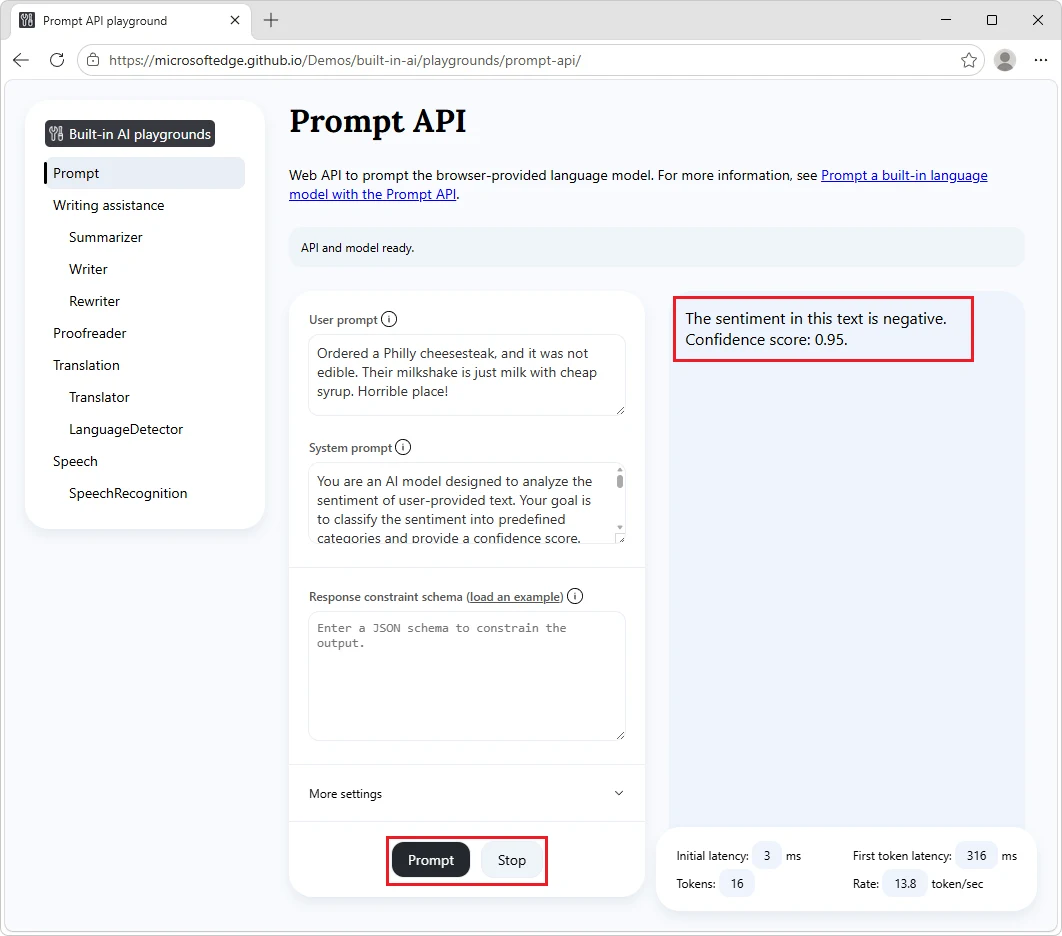
Imagine a form helping tidy text before submission. Local inference can reduce data movement for that model task. The website’s own handling or transmission of the text still matters, though: one local processing stage does not guarantee that an entire site never uses the network.
The Prompt API is still being tested
Microsoft opened a Prompt API origin trial for testing on live websites. Its experimental Decisions API in Edge Canary and Dev handles structured questions about text. General model availability does not make either API a stable standard supported by every browser.
Prompt API documentation lists Windows 10/11, macOS 13.3 or later, and x64 Linux with Vulkan GPU drivers and Edge 159 or later. Other requirements include at least 3 GB GPU VRAM, 20 GB free space on the Edge-profile volume and an unmetered connection for downloading.
Can it work without the internet?
Microsoft’s documentation says local inference can work offline after the initial download. Websites and additional features may still need a connection. The smaller model can also make mistakes, so summaries and classifications need review appropriate to their consequences.
Users can disable On-device AI under Settings → Copilot and AI; documentation says this removes the model and stops future downloads. Developers can start with the official playground and check device availability before building a feature. For everyday users, the practical questions are which site is requesting the capability and how it handles their data.
Sources & references
- Microsoft Edge: Aion Instruct, 19 November 2026 ↗blogs.windows.com
- Microsoft Learn: Prompt API and requirements ↗learn.microsoft.com
- Microsoft: Aion 1.0 Instruct model card ↗huggingface.co