Guide · Technology
Free IDM Alternatives: Meet SelzennDownload, MDM and AB Download Manager
Looking beyond IDM? Explore SelzennDownload, MDM and AB Download Manager with features, screenshots and official download links.
Ever downloaded a large file and then lost track of what finished and what is still waiting? That is where a download manager becomes useful. Speed is only part of it: organizing files, pausing a transfer and choosing when downloads run can matter just as much.
If you are looking for a free IDM alternative, there are several options to explore. We will start with SelzennDownload, an application in the Selzenn ecosystem, then look at the open-source Mister Download Manager (MDM) and AB Download Manager. The right fit depends on how you download files.
SelzennDownload: a workflow for files and web video
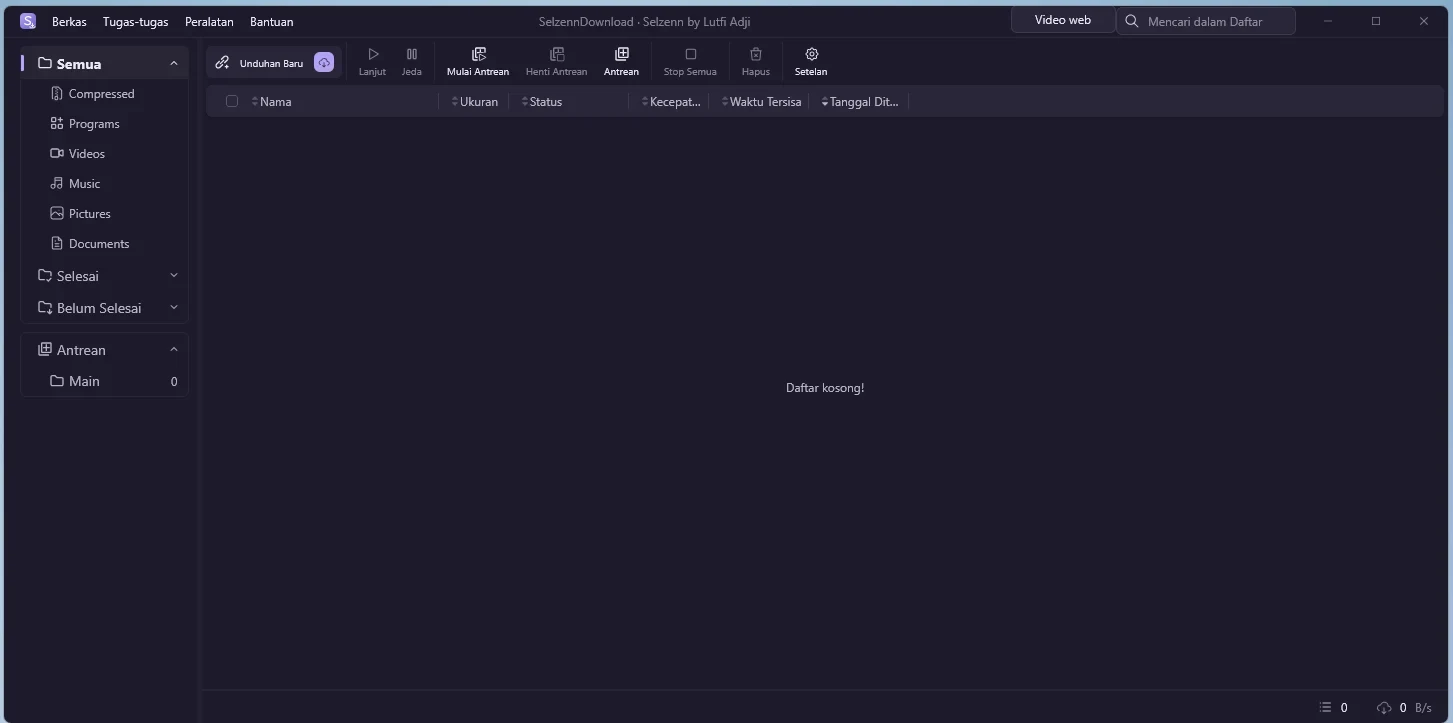
For Windows users, SelzennDownload provides categories, queues, scheduling and speed limits. You could prioritize work files and leave a larger download in the next queue. The available release when this article was prepared is 1.2.0 for Windows x64, free to download, with the Java runtime included.
The Chrome/Edge companion can hand file downloads to the application. Load the included extension folder manually using Load unpacked; it has not been published to browser stores. If the handoff fails or times out, the browser continues the file download. Avoid enabling several download-catching extensions at once, as they can compete for the same link.
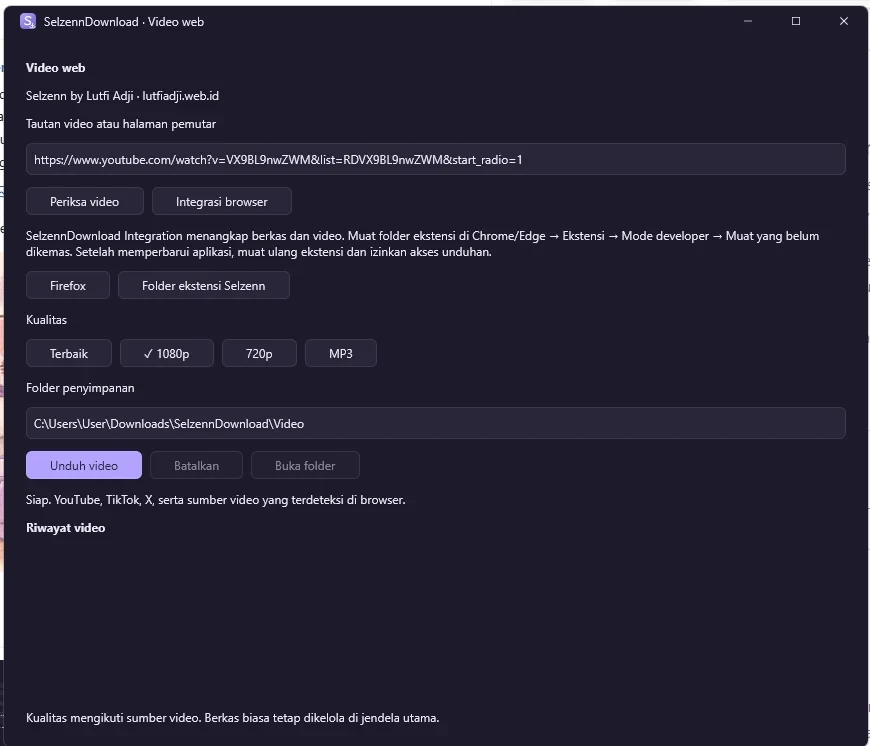
For video, open Video web, paste a link and choose Periksa video (Check video). Best, 1080p, 720p and MP3 choices depend on the formats available from the source. Video history is separate from ordinary file downloads, making completed outputs easier to find. Site support, quality and resuming still depend on the source.
SelzennDownload is based on AB Download Manager 1.11.1, with Apache-2.0 licensing and upstream attribution included in the package. It therefore has a direct relationship with the AB option below. Start with the features and setup guide, or download the SelzennDownload Windows x64 installer.
MDM: a recognizable classic layout
If you know the IDM layout, Mister Download Manager may feel familiar straight away. A large toolbar, categories on the left and a central file list keep its main functions visible. Its official website describes parallel connections, resume, scheduled queues, torrents and video downloads from web pages.
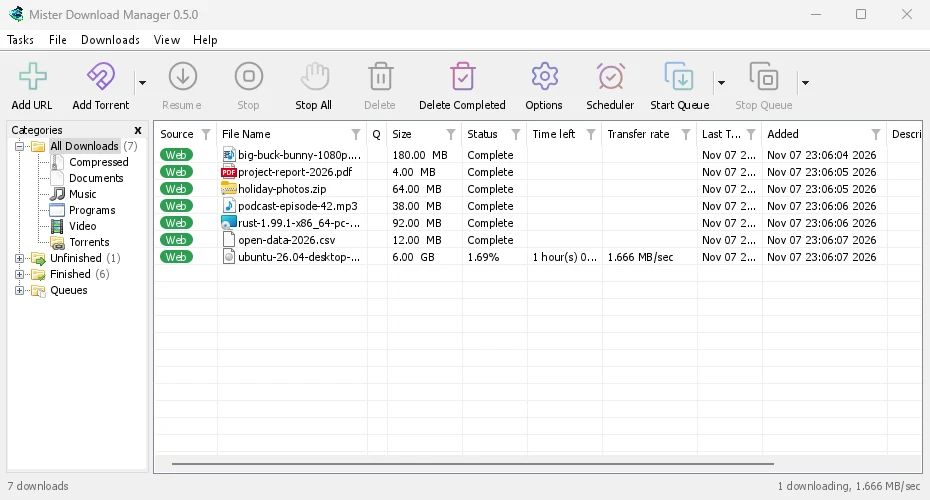
MDM uses GPL-3.0. Its official download page lists 0.5.2, with 64-bit Windows 10/11 labeled stable and macOS and Linux labeled experimental. Get MDM from its official download page and choose the package for your device.
AB Download Manager: modern design with queue controls
Prefer a modern interface? AB Download Manager offers themes, queues, scheduling, a speed limiter and browser integration. You can organize file order and set when queues start or stop, rather than running every large download at the same time.
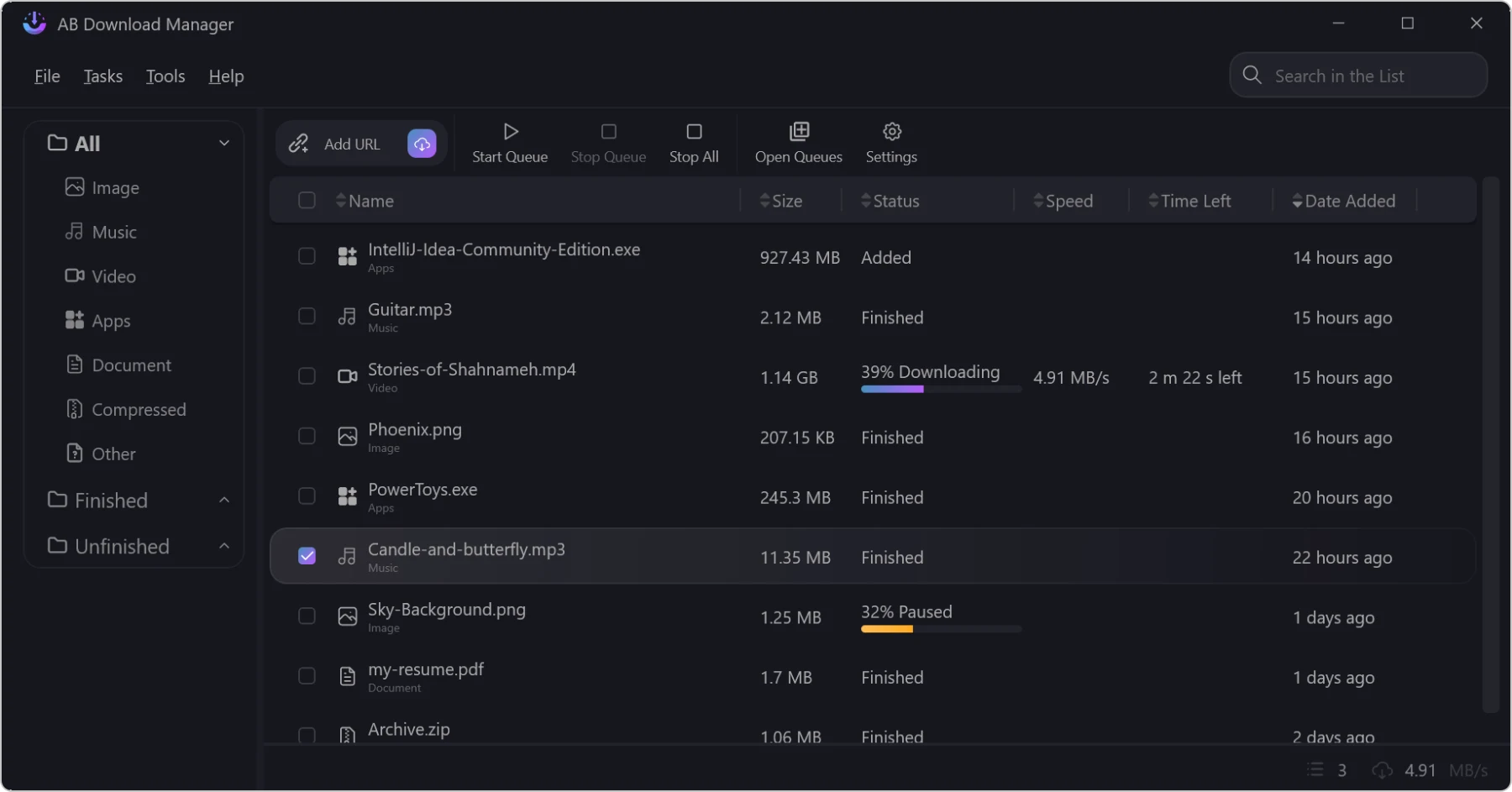
The project is free and open source under Apache-2.0. When checked, its website displayed 1.11.4 and support for Android, Windows, Linux and macOS. Use the official AB Download Manager website to choose packages and extensions. Its version number differs from SelzennDownload because the two maintain separate releases.
Choose around your actual download routine
| Option | Worth exploring if… | Check before starting |
|---|---|---|
| SelzennDownload | You use Windows and want Selzenn file and Web video workflows | Chrome/Edge companion is loaded manually; video quality depends on the source |
| MDM | You like a classic layout and need built-in torrents | Pick the correct OS package; macOS/Linux remain experimental |
| AB Download Manager | You want the upstream project with queues and scheduling | Match the application package and extension to your device |
For speed, look beyond promises of downloads becoming several times faster. Multiple connections may help with some servers, but cannot remove your internet-plan limit or a server’s restrictions. Resuming also requires source support and a valid link. Use the same file and network conditions when comparing applications.
This discussion began with Levelup iD videos about MDM and FDM. The options here are described from their official features and documentation; the video’s test results are not transferred to SelzennDownload. For Windows users starting with this ecosystem, the SelzennDownload installer is available here.
Sources & references
- SelzennDownload — features, setup and Windows package ↗selzenn.com
- Mister Download Manager — features and interface ↗misterdownloadmanager.com
- MDM — downloads and platform status ↗misterdownloadmanager.com
- MDM — GPL-3.0 license ↗misterdownloadmanager.com
- AB Download Manager — official website ↗abdownloadmanager.com
- AB Download Manager — source code and license ↗github.com
- Levelup iD — MDM video ↗www.youtube.com
- Levelup iD — FDM video ↗www.youtube.com