News · Technology
Apple Adds More Granular Mac Permissions as AI Agents Gain Access
Apple introduces finer permission controls in macOS 27.3 beta 2, including specific folders and apps and options to ask before controlling another application.
Event date: 2026-11-16

An app that handles work on your Mac can be useful. But if it also asks for access to the entire computer, it helps to understand what you are granting. Apple introduced more granular permission controls in macOS 27.3 beta 2, announcing the changes on November 16, 2026.
Why are app permissions getting attention?
In an earlier explanation, Apple described how Full Disk Access can expose files, email, messages and browsing history. It also highlighted growing risks as AI agents become more autonomous. The useful question is therefore not just what an app can do for you, but what information becomes accessible along the way.
Choose more specific access
According to Apple Support, certain requests let users select particular protected folders or applications. Imagine a tool that only needs to organize project documents: access to the relevant location makes more sense than opening the entire Mac to it.
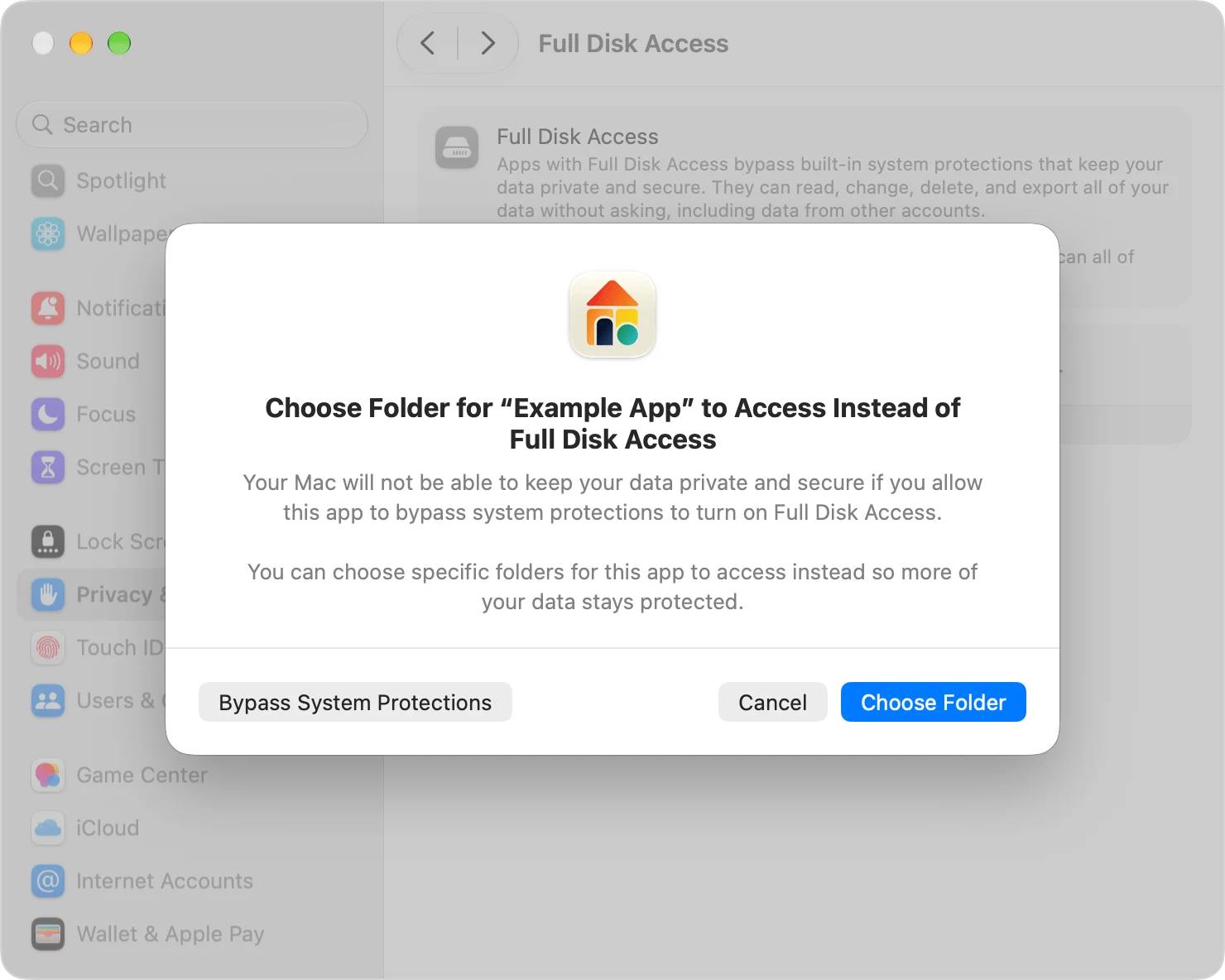
For control of another app, Ask First requires permission beforehand, while At Any Time allows access whenever needed under that setting. Available choices can vary by application type. Full access remains broad: an app can read, change, delete and export the data within its reach.
The settings have new names too
The Apple announcement splits Device Control and Data Access into System & App Protection Override and Accessibility. A transparency indicator also appears when an app controls another app through Override. The aim is to make access visible, rather than something approved in a dialog and then forgotten.
Permissions users already granted remain in effect; this change does not automatically clear older access. Apple asks developers to adapt onboarding and handle cases where users grant only limited access.
It is still a beta: what should you watch?
This is a beta introduction, not an announcement that the update is available on every Mac. The beta 2 release notes also list interaction issues with Safari/WebKit for some apps granted Override permission, and activity indicators that may not appear for certain input methods.
For users, the practical step is to read why access is requested and which app needs it. If a task only needs a particular folder or application, start with that scope. For developers, successful automation means more than completing a task: it should also handle users choosing narrower access.
Sources & references
- Apple Developer — Mac permission updates, November 16, 2026 ↗developer.apple.com
- Apple Support — access scope and folder/app choices ↗support.apple.com
- Apple Developer — macOS 27.3 beta 2 release notes ↗developer.apple.com
- Apple Developer — Full Disk Access background, October 2, 2026 ↗developer.apple.com