News · Internet
Signal Restricts Screenshots to Keep AI Agents Out of Chats
Signal is restricting screen capture to reduce AI access to private chats. Explore its iOS and Android controls, plus the limits of protection on Mac.
Event date: 2026-11-20
Your chat is encrypted, but what if an AI reads it after the message appears on screen? Signal is addressing that different point of access. On November 20, 2026, it announced screenshot restrictions intended to reduce operating-system AI agents’ access to private conversations.
Protecting messages after they reach the screen
Encryption protects a message in transit. Screen reading happens later, when the conversation is already visible on a device. This is therefore not an announcement that Signal encryption has been broken. The issue concerns assistants with access at the operating-system level.
Signal describes protection on iOS 27 and Android versions where AI access can be detected. It acknowledges that the remedy is incomplete: restricting screenshots does not automatically block other paths, such as access to files already stored on the device.
Android and iPhone use different controls
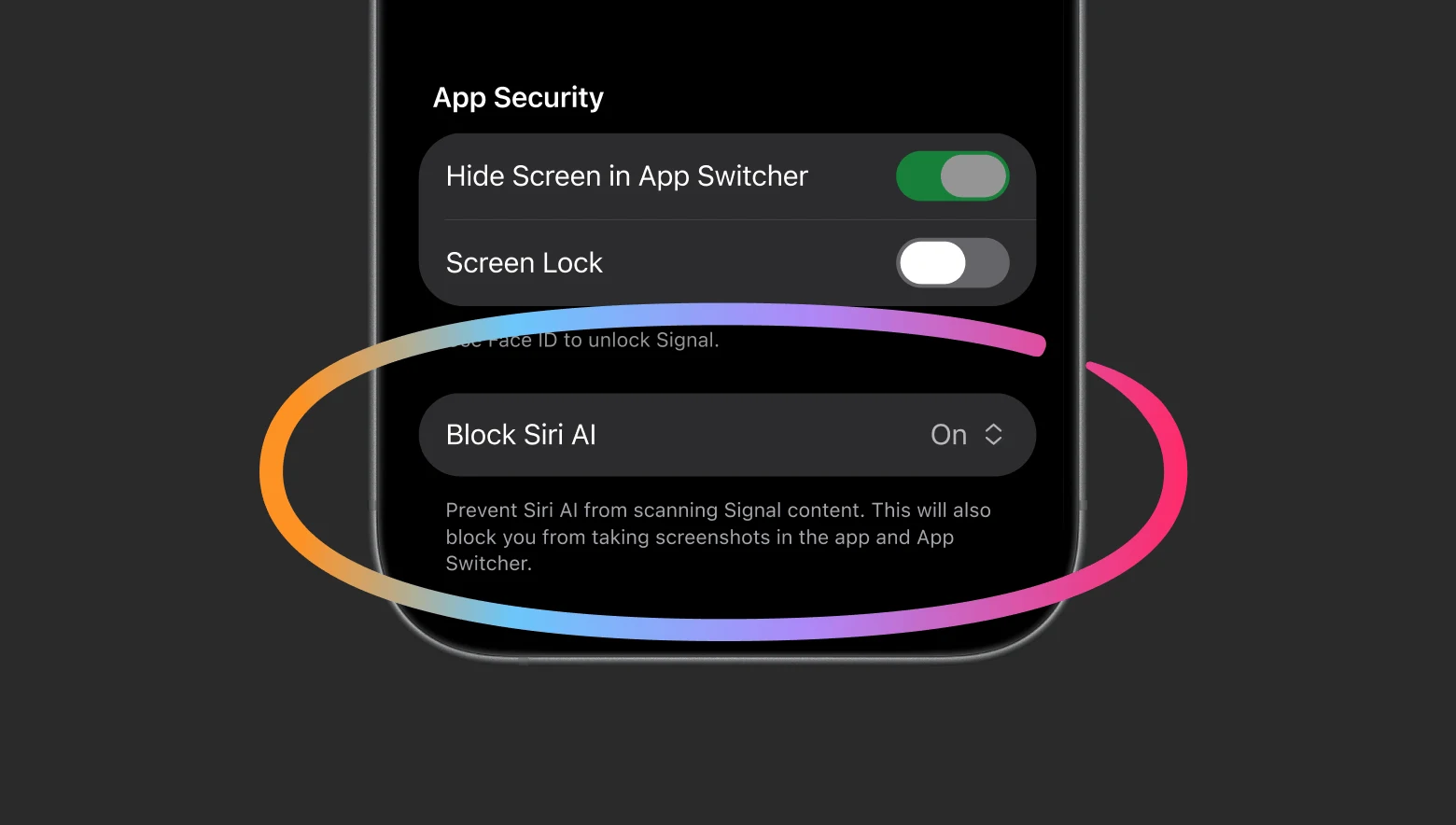
The updated support guide says Android Screen security turns on automatically when an AI assistant first tries to read Signal’s screen. Its Android path is Settings → Privacy → App security → Screen security. The iOS 27 protection uses the Block Siri AI control.
Turning the protection off may restore screenshots, but also reopens the screen-reading route it is intended to restrict. This is more than an inconvenient switch affecting picture sharing: it has implications for both participants’ conversation content.
What about Mac users?
Signal says equivalent blocking is not currently possible on macOS. For macOS 27, it recommends adding Signal to Excluded Apps in System Settings → Siri. That recommendation limits proactive Siri access; it is not a guarantee that every Mac screenshot will be blocked.
On Android, coverage also depends on the operating-system version and device manufacturer. Do not assume all phones provide identical protection simply because they run the same messaging app.
A small habit that still matters
Review privacy settings after updating the app and understand the screen-access permissions you grant an assistant. Protection on your device cannot stop the other participant from taking a picture on theirs. Sensitive conversations still depend on an agreement between people, alongside the technical safeguards.
The support guide lists Signal Android 8.35.1 or later and Signal iPhone 8.37 or later on iOS 27. Check the app version before looking for the new control.
Sources & references
- Signal: Protecting your privacy, 20 November 2026 ↗signal.org
- Signal Support: Screen security and blocking Siri AI ↗support.signal.org
- Signal Support: Screen Security ↗support.signal.org